




我今天在新装的Debian12系统上安装docker时遇到了一个神奇的问题

我的安装指令如下:
curl -fsSL https://get.docker.com | bash
systemctl start docker
systemctl enable docker
按照提示查看详细的错误日志:
journalctl -xeu docker.service

初步看起来像是iptables的问题,先看下当前的后端
update-alternatives --config iptables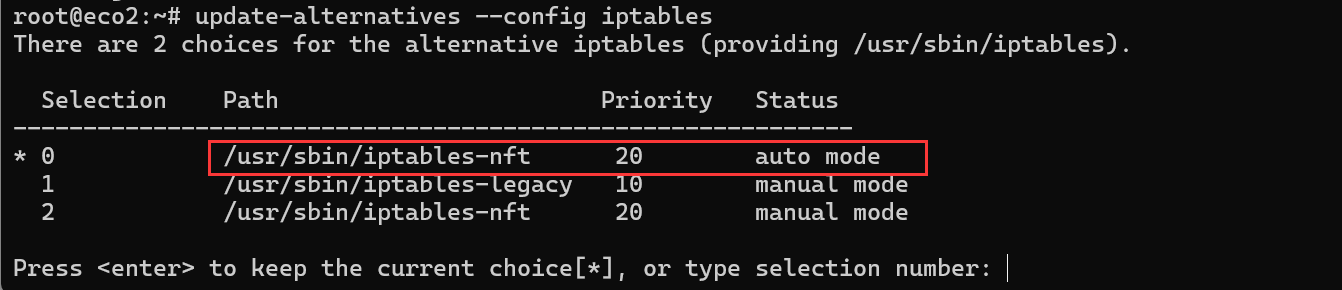
输入<code>1</code>选择传统后端,结果启动docker时仍旧出错了,再次查看日志发现似乎出在ip6tables上

按照刚刚的方法将ip6tables的后端也从nftables切换到legacy
update-alternatives --config ip6tables
重启启动docker时发现出现的错误是一样的,这时突然留意到似乎问题是在"failed to start daemon: Error initializing network controller: error creating default "bridge" network: operation not supported"这句,想到去看下内核是不是不支持:
lsmod | grep bridge || modprobe bridge
看样子好像是内核问题? 尝试去完整升级下系统,因为这个机器是一个云vps,装的是最小化的debian12,我怀疑内核不完整,因此去完整更新下系统
apt update
apt upgrade
apt full-upgrade
reboot
系统重启成功后再次看下内核有没有加载:

这时再次启动docker,果然就成功了。

Comments NOTHING